QAT Assistant
An add-in for Microsoft Excel that backs up your quick access toolbar
- Back up your Quick Access Toolbar daily
- Restore your Quick Access Toolbar from a backup file
The Quick Access Toolbar (QAT) in Microsoft Excel lets you put any button or menu item on it for fast access. Its default location is above the tab names, but you can right-click it and relocate it below the formula bar. Once you discover this toolbar you will add many buttons to it and organize it just the way you want — and all goes great until one day the toolbar disappears. For no reason. And after hours of research you find that you cannot recover it.
The QAT Assistant add-in for Microsoft Excel solves this problem. It creates a backup of the QAT file with the month, day, and year as part of the file name. This way you know which backup is the latest, and it provides instructions on how to restore the QAT from one of the backup files. It is menu-driven and easy to use:
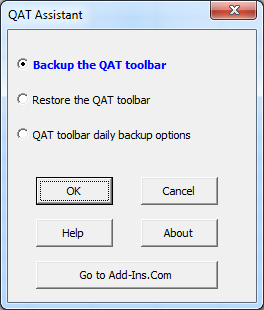
Use the QAT Assistant to easily recover your Quick Access Toolbar when Excel deletes it, which often happens as a result of an Excel upgrade.