File Assistant
Easy open any of your past 200 files
An add-in for Microsoft Excel that lists the contents of your folders on a worksheet.
File Lister add-in for Microsoft Excel is like having Windows Explorer on a worksheet!
The File Lister is menu-driven for ease of use. It can create worksheets that contain listings of your key directories. For example, it can create a file listing of just the XLS files in your folders. Create another one that shows just the DOC files in the same folder! From the listings you can open, rename, move, or delete files.
The listings do not have to be just of Excel files. You can list any file types you want.
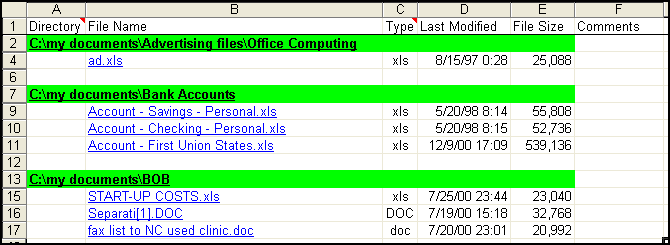
The listing can be with hyperlinks to the files along with comments you later add (and retained between updates if you do the detailed listing):
Or, it can be a simple file listing:
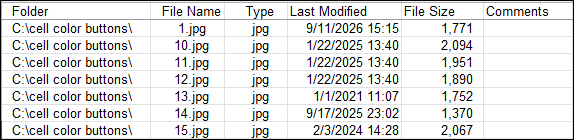
The file listings can be from any folder and can include or exclude subfolders. You can use wild cards in your filetype search such as *.png, *.* or *.xl*. You can also use complex filetype searches such as *.gif *.ico *.png.
Easy open any of your past 200 files
Bookmark your favorite files and folders for quick access