 |
|
Questions? E-mail us
or call us 302-584-1771, 8AM to 10PM U.S. East Coast Time 7 days a week
|


|
CSV File Creator
|
Screen shots: 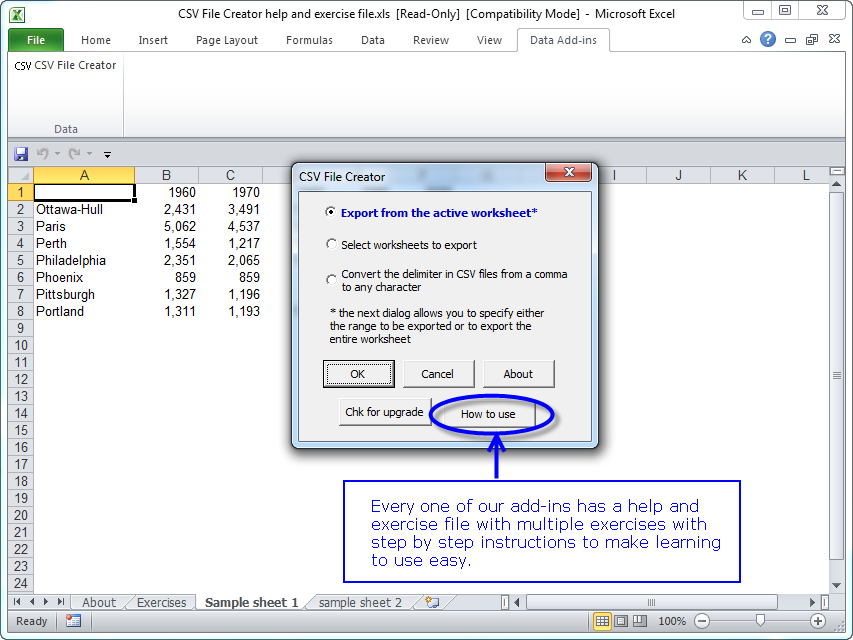 |
The CSV File Creator add-in for Microsoft Excel allows you to easily create CSV files from your workbooks. It is compatible with Microsoft Excel 2013-2024 and Office 365.
| Troy Brimm wrote: "I was right in the middle of a huge data conversion project and the CSV File Creator was just what I needed to finish it. The price was right and the installation was easy. Moreover, your company provides a level of technical support not common these days. I give this company two thumbs up. Thanks again for all your help." |
It is completely menu driven. From the menus, you just select the worksheets that are to be converted to CSV files and let the CSV File Creator do the work. The CSV File Creator has options that:
-
Let you convert just a single sheet or select just the sheets you want converted
-
Convert a specific range on each selected worksheet to a CSV file or convert entire sheets without having to select a range to a CSV file
-
Convert separate ranges, for example just A1:A20 and K1:K20 (the cells in between are not exported) to a CSV file
-
Automatically name CSV files based on their sheet names if doing multiple sheets or prompt for name and directory
-
Remove hidden columns before converting to CSV files
-
Remove formatting so that numbers with % signs, parentheses, spaces, and formatted numbers are not treated as text entries
-
Change the delimiter in CSV files from a comma to any character you want. For example, you can use the CSV File Creator to change data delimiter from the comma to a semi-colon.
- Has an option to enclose all fields in double quotes. For example: "123", "St Louis"
The following is the main dialog on the CSV File Creator:
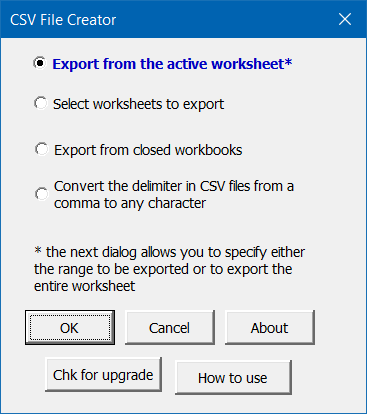
The CSV File Creator allows you to:
- Create CSV files from the active sheet
- Create CSV files from multiple sheets in a workbook
- Create CSV files from closed workbooks
The CSV File Creator has many options to help you create the CSV file you need. You can:
- Exclude hidden columns and rows
- Exclude all blank rows
- Exclude just blank rows from the bottom that do no have any entries
- Clear formats so output does not contain Excel formatting characters
- Convert percent values like 63%, which would be exported normally as 0.63, to 100 based values, ie, 63.00
- Enclose all values (text, dates, numbers,...) in double quotes. For example, "Jan 10, 2013"
- Enclose only text in double quotes.
The menus are easy to follow and use. And to help you learn how to use the features of the CSV File Creator, there is a help and exercise file to give you hands on practice.
Many times when you manually create a CSV file Excel will add extra rows to the CSV file. The CSV File Creator solves this problem! Another feature allows you to combine the entries on many worksheets into one CSV file.
|
Order online from our secure service. |
|
US $29.95 |

Customers who viewed the CSV File Creator also viewed:
- Address Assistant - Easily split addresses in one cell into multiple cells. Fix zip codes needing leading zeros.
- Column Navigator - Quickly and easily find and go to any column on a worksheet via a descriptive list of all the columns!
- Duplicate Finder & Deleter - Quickly find and remove duplicates in one list or between two lists.
- Row to Column Viewer - View all the data on a row at one time!
- Word Shifter - Shift words from one cell to the next with just the click of a button
| Copyright 2025 Add-ins.com LLC, all rights reserved. Spreadsheet Assistant is a registered trademark of Add-ins.com LLC. |