 |
|
Questions? E-mail us
or call us 302-584-1771, 8AM to 10PM U.S. East Coast Time 7 days a week
|

How to Open and Use our Products
HOW TO USE
When you open Excel after installing any of our products, you will find one or more new tabs added to the Excel ribbon. To use our products, just click on a tab and then click on the product you want to use.
HOW TO LEARN TO USE
Everyone of our add-ins has an exercise and help workbook . Each such workbook contains help on how to use and many hands on exercises. The hands on exercises give you practical experience with step by step instructions that make learning simple. To open this help workbook, look for a How to Use button on the add-ins main dialog or menu and click on it. The following illustrates the typical location:
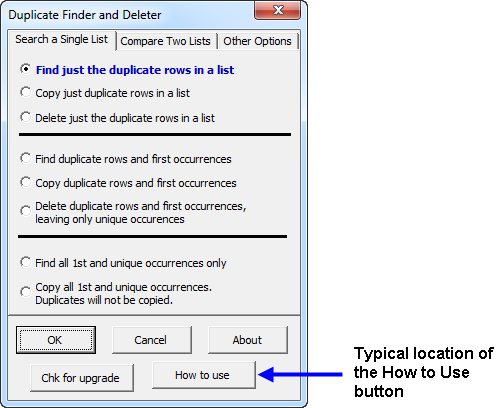
If you purchased the Spreadsheet Assistant, click on the new "Assistants" tab and select the "How to Use" button on the right side of all the buttons.
Doing the exercises typically take 5-10 minutes and give you a great understanding on how to use an add-in.
Visitors who viewed this page also viewed
- How to Contact Us - Contact via email and phone support
- Product List - View all our add-in Excel products
- Support - Information on assistance and other forms of support
| Copyright 2026 Add-ins.com LLC, all rights reserved. Spreadsheet Assistant is a registered trademark of Add-ins.com LLC. |