 |
|
Questions? E-mail us
or call us 302-584-1771, 8AM to 10PM U.S. East Coast Time 7 days a week
|
|
List Assistant
FREE - No purchase ever required Download now! |
The List Assistant add-in for Microsoft Excel is the easy way to re-arrange rows in your worksheet. It is compatible with Microsoft Excel 2010-2021 and Office 365.
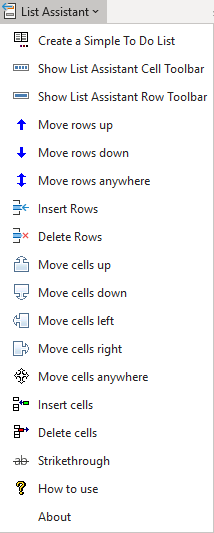
The List Assistant menu can be displayed by clicking on its ribbon tab button or by adding it to Excel's quick access toolbar. If you need to use the row or cell buttons frequently, you can use the first two options on the List Assistnat menu to display floating toolbars. This floating toolbars are workbook specific! If you change workbooks, they will disappear.
| Dropdown menu: | Floating toolbars | |
 |
List Assistant row toolbar | |
Use the above toolbar to easily move rows around |
||
| List Assistant cell toolbar | ||
Use the above toolbar to easily move cells around |


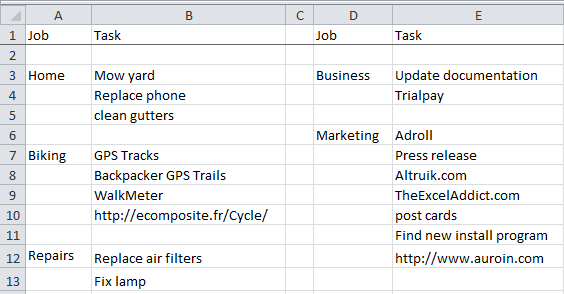
Our favorite use of the List Assistant is to manage our to to lists. The following illustrates how we have setup our to do lists in an Excel worksheet: We have jos and tasks across as several columns in Excel and frequently move cells up or down or insert or delete cells. The List Assistant buttons to move cells or insert and delete cells makes this easy to do.
|
| Copyright 2024 Add-ins.com LLC, all rights reserved. Spreadsheet Assistant is a registered trademark of Add-ins.com LLC. |