 |
|
Questions? E-mail us
or call us 302-584-1771, 8AM to 10PM U.S. East Coast Time 7 days a week
|


|
Random Number Generator
|
Screen shots: 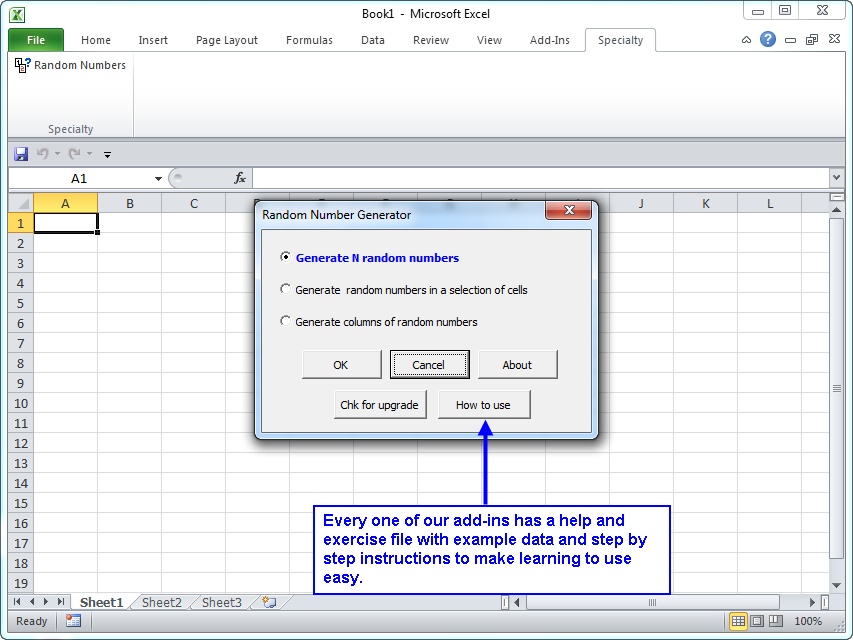 |
If you need a set of random numbers, you will find that generating random numbers is easier said than done, especially if the random numbers must be unique. Our Random Number Generator add-in for Microsoft Excel allows you to perform this task quickly and easily. It is compatible with Microsoft Excel 2010-2021 and Office 365.
The following screen shots show how easy it is to use the Random Number Generator:
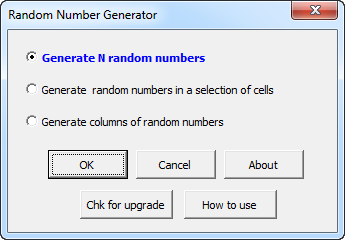
If you select the first option, you are prompted for how many random numbers to generate, the starting and ending values and if the numbers should be unique. The second option allows you to fill a selected range with random numbers. The third allows you to generate columns of random numbers.
You can
- Generate the output to a new workbook, a new worksheet, or pick the destination.
- Make the numbers unique
- Generate random number across many columns so that you can create a large table of random numbers.
- Select just a range of cells and have it quickly filled with random numbers.
- Exclude any numbers you want from the set of random numbers
|
Order online from our secure service. |
|
US $24.95 |

Customers who looked at the Random Number Generator also looked at:
- Random Sampler - Easily select a random sample of your data
| Copyright 2024 Add-ins.com LLC, all rights reserved. Spreadsheet Assistant is a registered trademark of Add-ins.com LLC. |