 |
|
Questions? E-mail us
or call us 302-584-1771, 8AM to 10PM U.S. East Coast Time 7 days a week
|


|
Multi-Chart Creator
|
Click to see screen shots: 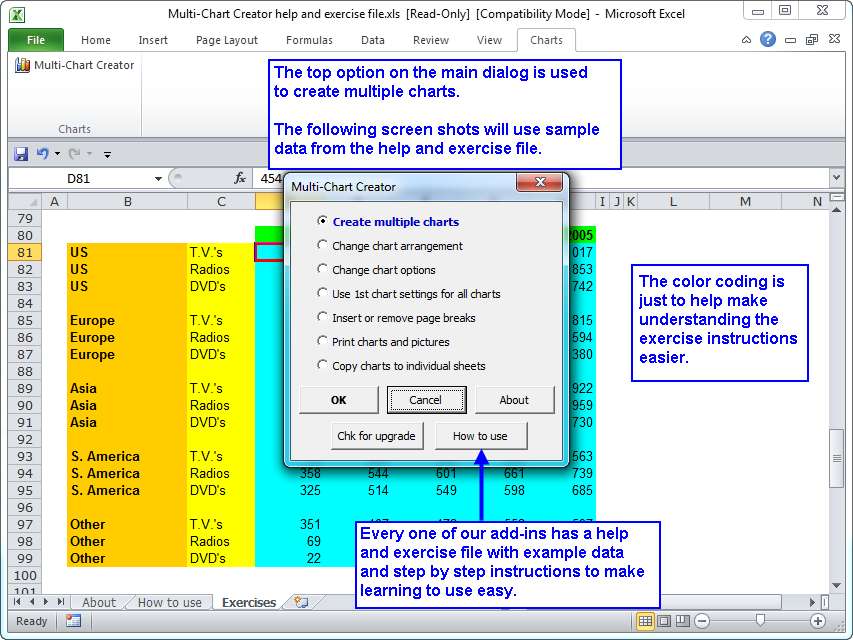 |
The Multi-Chart Creator add-in for Microsoft Excel allows you to easily create hundreds of charts. It is compatible with Microsoft Excel 2010-2021 and Office 365.
Customization features allow you to set minimum and maximum values for the axes and to customize the data series. This saves you time and allows you to find trends and exceptions to your data. And it helps you re-arrange charts on a worksheet. The following illustrates four charts that were created by the Multi-Chart Creator and positioned uniformly on the worksheet:
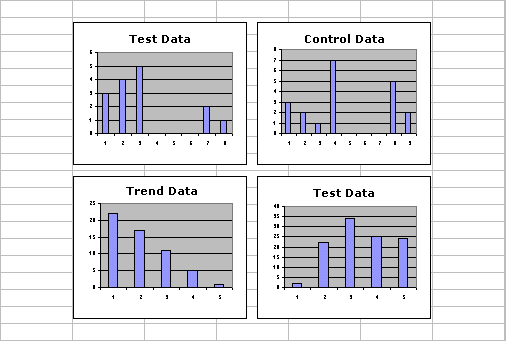
The Multi-Chart Creator is completely menu driven and comes with a detailed help file to help you in its use.
In addition to creating charts, the Multi-Chart Creator provides an option that allows you to re-arrange the charts on a worksheet. You can arrange the charts 2, 3, 4 or more across and specify how many charts are viewed per every "N" rows.
Other features of the Multi-Chart Creator let you add page breaks every so many rows and to print the charts individually.
|
Order online from our secure service. |
|
US $19.95 |

Customers who viewed the Multi-Chart Creator also viewed:
- Quick Chart Creator - Use just one chart for hundreds of rows of data.
| Copyright 2024 Add-ins.com LLC, all rights reserved. Spreadsheet Assistant is a registered trademark of Add-ins.com LLC. |