 |
|
Questions? E-mail us
or call us 302-584-1771, 8AM to 10PM U.S. East Coast Time 7 days a week
|


|
Colored Cells Sorter
|
The Colored Cells Sorter add-in for Microsoft® Excel® allows one to sort rows based on color. It is compatible with Microsoft Excel 2010-2021 and Office 365.
Its main dialog displays the following options:
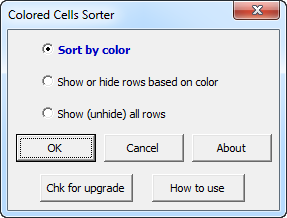
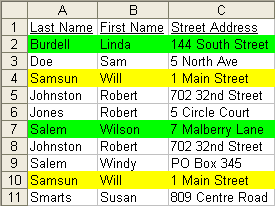
Using the first option, sort by color, allows you to sort by font color or background color. For example
| Before sorting | After sorting on background color | |
 |
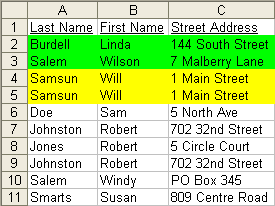 |
The Colored Cell Sorter allows you to sort the colored cells so that they are at the top or at the bottom.
If you use the second option, show or hide rows based on color, the following dialog appears that gives you options to show or hide cells based on background color and/or font color:
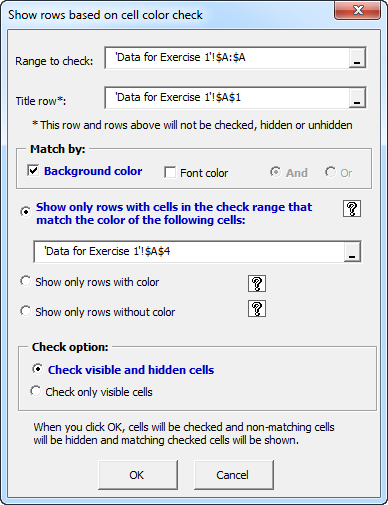
If you want to display just the yellow cells (without sorting) in the previous data example, the following is the result:
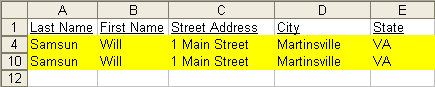
To redisplay the hidden rows, just use the third option on the main dialog, which redisplays hidden rows.
|
Order online from our secure service. |
|
US $19.95 |

| Copyright 2024 Add-ins.com LLC, all rights reserved. Spreadsheet Assistant is a registered trademark of Add-ins.com LLC. |